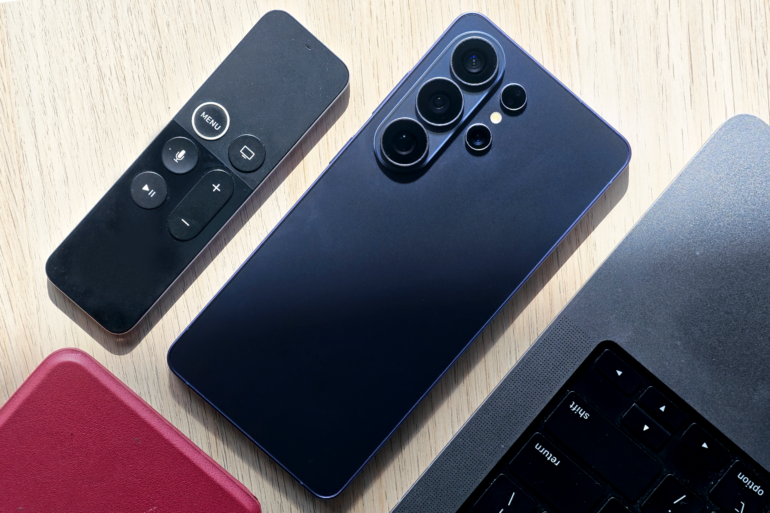
After a few months of daily use, here’s what actually stuck, and what didn’t, about the Samsung Galaxy S26 Ultra.
I’ve spent the last few months with Samsung’s latest Ultra, and out of all the features it comes packed with, I must admit the one that stood out most for me was its knack for privacy.
Just to be clear, the Samsung Galaxy S26 Ultra is an amazingly well-rounded phone, as you’d expect from Samsung’s latest flagship slab phone. I’ll get to the privacy feature, but allow me to swoon over the other things first.
The display
The S26 Ultra brings the screen size to 6.9 inches, which, as of writing, makes it the biggest ever in the S series. That size comes with toughness too, thanks to Gorilla Glass Armour 2. It is tough enough that it might render screen protectors and tempered glass irrelevant.

One chip to rule them all
The S26 Ultra houses the Snapdragon 8 Elite Gen 5 (a step up from last year’s, uh, last-gen chip), plus an upgraded Neural Processing Unit for on-device AI tasks, if you’re into that kind of thing. The base model starts with 12GB of RAM, generous by current standards, and the 1TB variant bumps that up to 16GB, further future-proofing the device.
This combination made my time with the phone thoroughly enjoyable. Whether I was bouncing between heavy productivity apps or rendering high-resolution media and games, the experience stayed entirely fluid. I even threw Red Dead Redemption 2 at it and it ran through without a single hitch, which is more than I can say for some laptops I’ve used. “Sluggish” seems to have been removed from its vocabulary entirely.
It does, however, occasionally feel warm to the touch even when I’m simply doomscrolling my life away on TikTok, which is a strange thing to notice on a task that requires zero effort from the processor. It may be the thermal management system being oddly sensitive to certain workloads. That said, I don’t think I’ve come anywhere close to pushing the S26 Ultra to its actual limits, so overheating or throttling was never really on the table.
The camera
My relationship with photography has been quite linear: from film to DSLR to mirrorless, and now mobile phone photography. The shift has been driven by convenience, since the need to take the best photo in the easiest way possible takes precedence over almost everything else these days. Mobile photography has been my gold standard for the last few months, and the S26 Ultra is a very welcome addition to this new form of “camera gear.” It comes with an impressive lineup of features:
For mobile filmmakers, Samsung has added support for the APV near-lossless video codec and Log recording in Pro Video mode. This retains a massive amount of colour data and dynamic range, giving far more freedom when editing or colour-grading footage later.
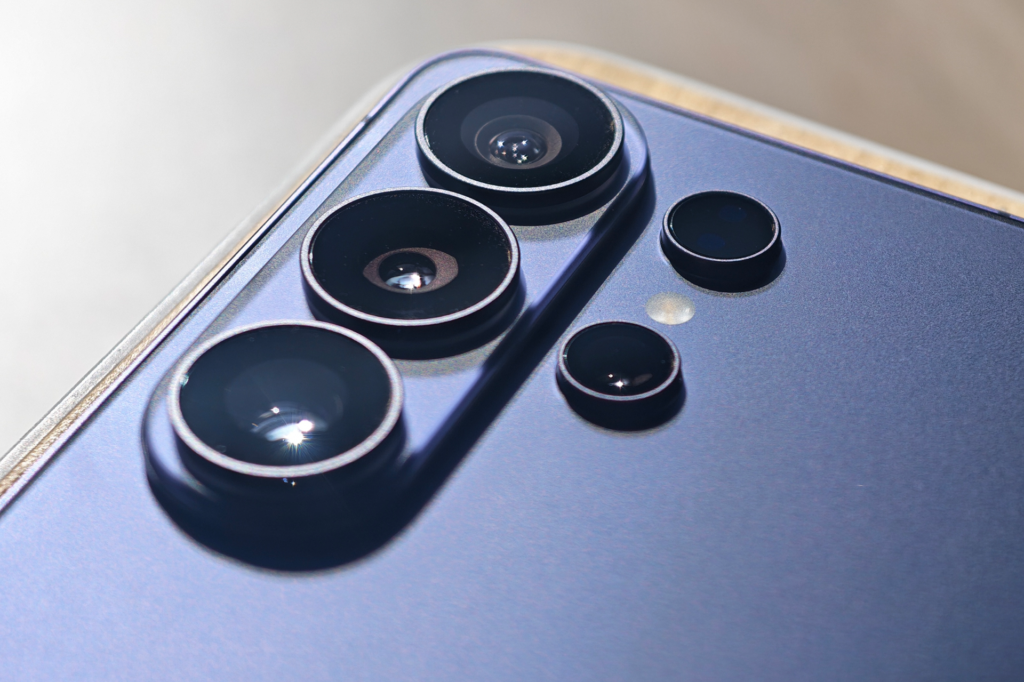
Then there’s the 200MP camera with an f/1.4 aperture. More light in, and more natural-looking bokeh. That’s a big deal for me, since I avoid portrait mode as much as I possibly can. In theory, this should also translate into better night photography, but I’ve noticed auto mode doesn’t fully make use of the hardware, and my initial low-light shots came out looking a little muddy.
Thankfully, this is easily circumvented by switching to Pro mode and shooting like it’s actual gear, not a phone. Compared to the iPhone 17 Pro Max, the S26 Ultra’s colours lean warmer and more saturated, while Apple stays more “true to life.”
Which is better really comes down to whether you want your photos to look like memory or like reality. I lean toward memory.
The feature I actually can’t stop talking about: Privacy Display
Gandalf once told Bilbo to keep the Ring secret and keep it safe, and honestly, Samsung’s marketing team could not have written a better tagline for this feature if they tried.
Tap a toggle, and the S26 Ultra narrows its viewing cone so hard that the person next to you on the MRT just sees a dim, grey blur. You, looking dead-on, see everything fine.
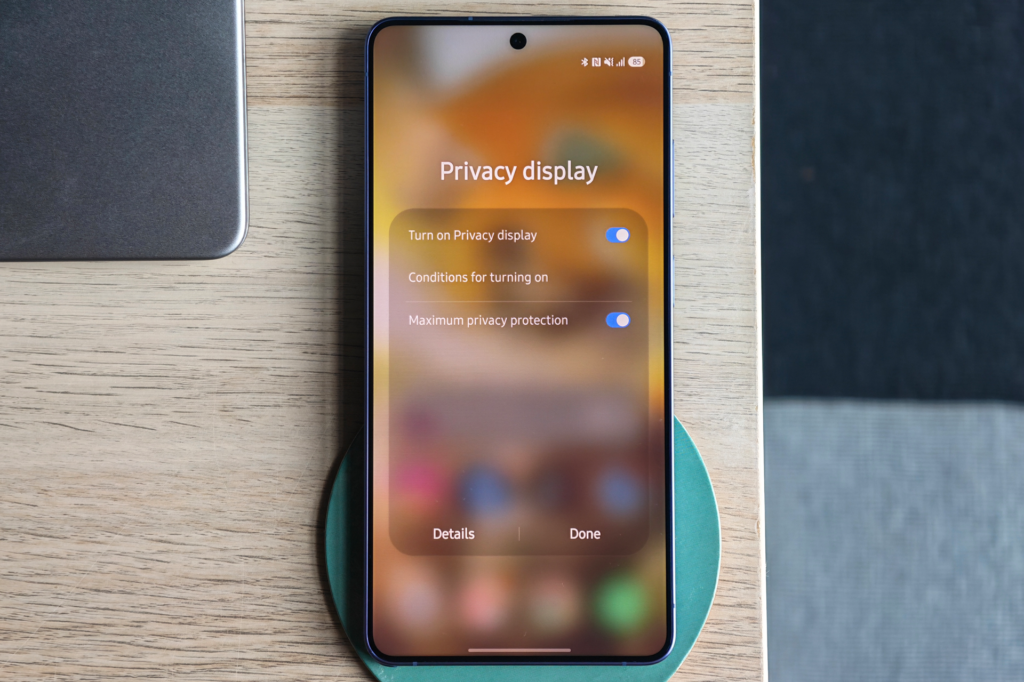
The tech is genuinely clever: the panel selectively fires “narrow pixels” that direct light forward instead of spraying it sideways, which is a fancy way of building a screen protector directly into the glass instead of sticking one on top. There’s a standard mode and a “Maximum” mode, and cranking it to Maximum is basically switching your phone off for anyone who isn’t you.
It’s also more customisable than I expected. Rather than a blunt all-or-nothing toggle, you can set it to hide your entire screen, or get specific, where only PIN and password entry, only incoming notifications, or only certain apps like banking or messaging. For my use, it’s always set to the maximum as I’m too lazy to fidget around with the phone settings (and I like the saturated look it gives the screen).
Does it work? Disturbingly well. Two examples from real life, both more domestic than the flight-and-boardroom scenarios Samsung probably had in mind.
First: my kids are currently obsessed with Cluedo, and being naturally cheeky little detectives, they’ve taken to hovering behind whoever’s writing down clues. Privacy Display has become my secret weapon: I jot my deductions down in Notes, angle the phone slightly, and my resident junior detectives get nothing but a grey smudge for their trouble. Petty? Yes. Effective at protecting my Cluedo win streak? Also yes.
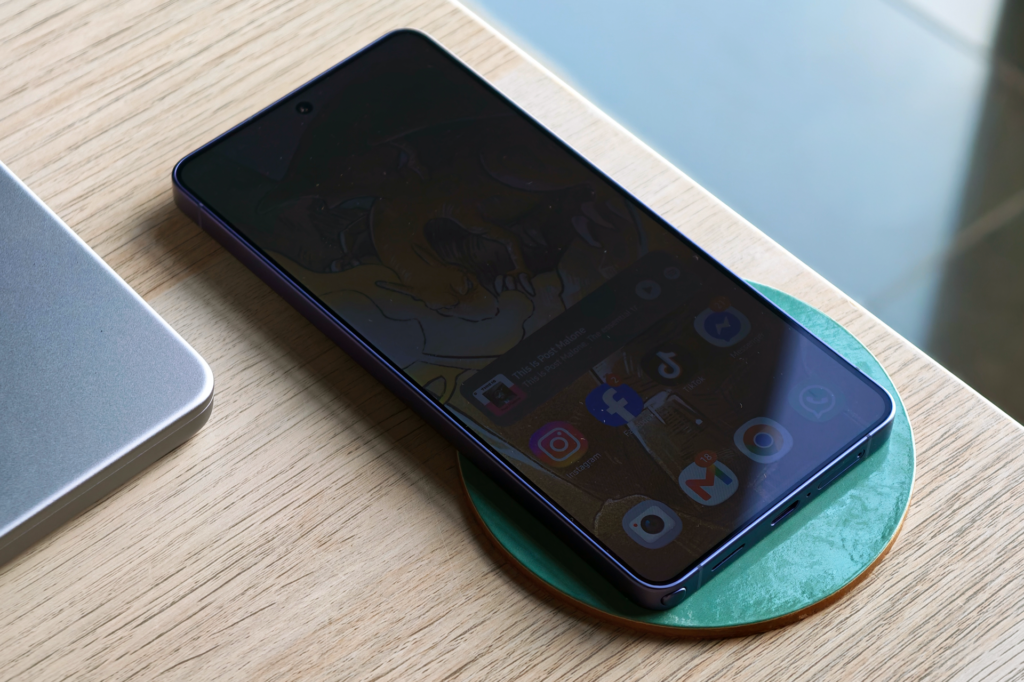
Second, and I must admit this is user error: I once thought I’d left a Teams meeting, only to realise a couple of hours later when I stood up and changed my viewing angle, that the call was still very much active. From my seated position, the screen had gone dark enough that I genuinely believed it had ended. Probably Privacy Display’s proudest moment, and a good reminder that “narrows what off-axis eyes can see” also means “narrows what off-axis you can see,” including from awkward desk angles.
That mishap aside, you do pay for this feature in other ways. Brightness takes a noticeable hit even with the feature switched off entirely; colours look slightly less punchy than they should for a Samsung flagship, and the anti-reflective coating is a step down from what the S25 Ultra had. It’s the display equivalent of installing security bars on your windows: effective, but you’ll notice the view isn’t quite as clean anymore, and occasionally you’ll misjudge whether the window’s even open.
If Samsung nails the tradeoffs in a second-gen version, this could genuinely become an industry standard. Right now, it’s a brilliant, occasionally chaotic party trick that costs you a little in daily polish.
The privacy stuff working quietly in the background
Privacy Display gets all the attention because it’s the one you can actually see happening, but Samsung’s quietly stacked a fair bit else on top of it.
Call Screening is the one I didn’t expect to like as much as I do. Point it at unknown or suspected spam numbers, and instead of your phone just ringing, an AI assistant picks up first, asks who’s calling and why, and shows you a live transcript on screen while you decide whether it’s worth your time.
Then there’s Knox, which is less a feature than an entire ecosystem working underneath everything else. Knox Vault is a physically separate chip that stores your fingerprint, face data, passwords, and encryption keys. None of it touches Samsung’s servers, and none of it is accessible to apps, even ones you’ve given broad permissions to.
KEEP (Knox Enhanced Encrypted Protection) takes that a step further by giving individual apps their own locked storage container, so if one app somehow gets compromised, it can’t reach into another app’s data, which matters more than it used to now that Galaxy AI features are pulling from your calendar, messages, and health data to build things like your daily briefing.
Auto Blocker, meanwhile, stops apps from being installed outside the official store by default, closing off one of the more common ways malware sneaks onto Android phones. And Knox Matrix has been expanded this generation to cover your other connected Galaxy devices too, including encrypted eSIM transfers.
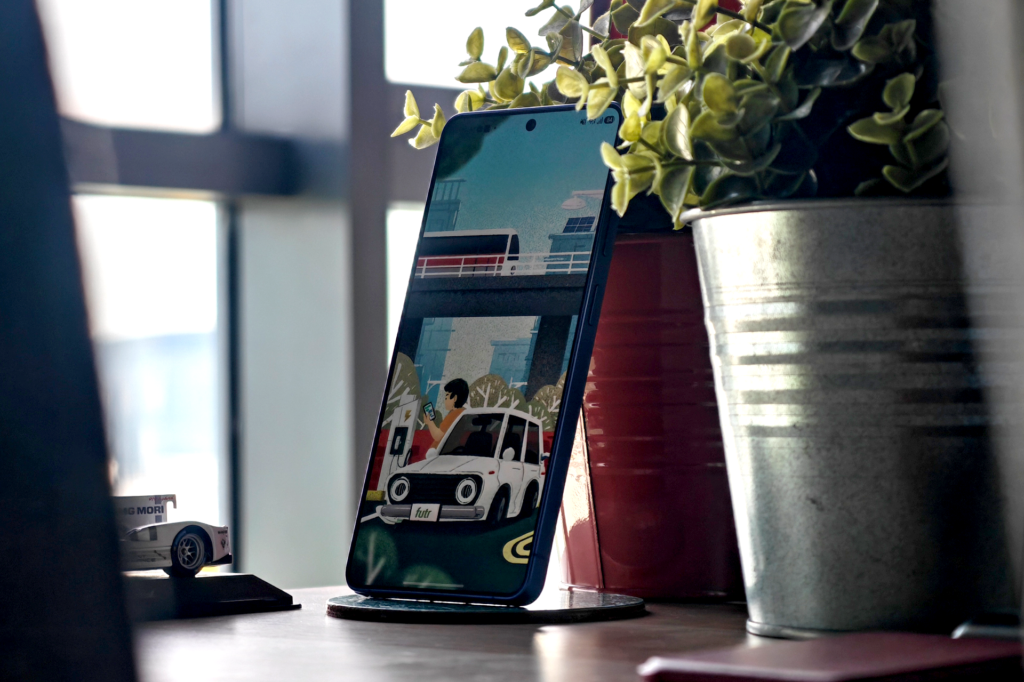
None of this is as visually satisfying as watching a stranger squint uselessly at your dimmed screen, but it’s the less flashy half of why Samsung’s leaning so hard into “privacy” as this generation’s whole personality.
Back to aluminium now, I guess
Samsung swapped the S25 Ultra’s titanium frame for an “Armour Aluminium” build this year. In hand, the S26 Ultra feels lighter and slightly more forgiving on aircon-cold mornings. The corners are rounder too, which makes a genuine difference if, like me, you use your phone one-handed while balancing a coffee in the other.
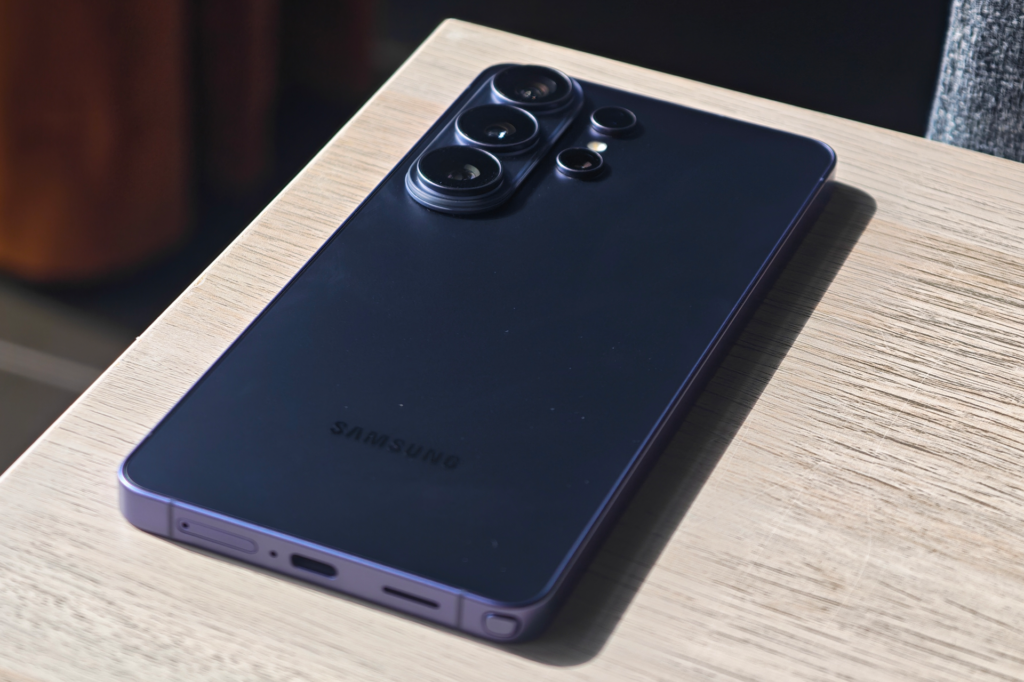
This puts it on more level footing with the iPhone 17 Pro Max, which also ditched titanium for aluminium this generation. The S26 Ultra is 214g and 7.9mm thin (noticeably slimmer than its predecessor) and it disappears into a jacket pocket in a way older Ultras never quite managed.
The S Pen and Galaxy AI: present, but not entirely the point nowadays
The S Pen is still tucked into the chassis, still useful for scribbling notes or signing PDFs on the go, and still… not a feature I reach for often. It’s become more of a “nice that it’s there” inclusion than a differentiator, especially with the Bluetooth remote-shutter trick from older models long gone.
Galaxy AI, on the other hand, keeps expanding. Real-time translation, AI-assisted photo edits, smarter search across the phone. Most of it is genuinely handy in small, unglamorous ways: circling something on screen to search it, or having a group chat photo auto-cleaned up without opening an editor. None of it feels revolutionary anymore, which says less about the S26 Ultra and more about how quickly AI features have become table stakes across every flagship.
Battery and the small stuff
The 5,000mAh battery comfortably gets me through a full day of meetings, shooting, and doomscrolling, and the jump to 60W wired charging means a quick top-up before heading out barely costs me ten minutes. Nothing groundbreaking, just dependable, which, after a few months, is honestly the vibe of this entire phone.
Overall
The Galaxy S26 Ultra isn’t a dramatic leap over the S25 Ultra. But Privacy Display is a genuinely new idea, executed well enough to be useful in real life (Cluedo included), even if it’s not quite polished enough to be essential just yet.
If you value your commute privacy as much as your Cluedo secrets, that alone might be worth the upgrade.
Liked this? Check out more articles on Futr tech here.