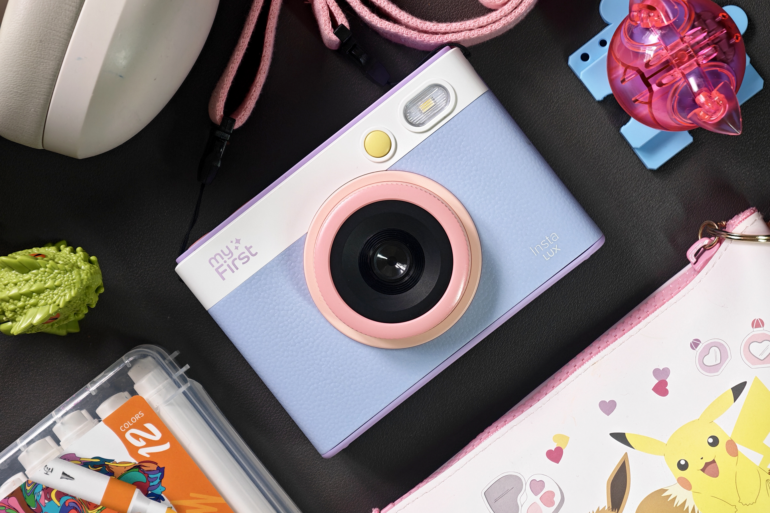
myFirst Insta Lux is a child-focused camera that pairs point-and-shoot experience with advanced printing technology, packed in a highly durable and child-friendly package.
I’ve had my hands (or rather, my kids have) on the myFirst Insta Lux camera for a few weeks now, and the magic of taking photos and printing them right away doesn’t appear to be wearing off anytime soon.
My children have always been interested in photography, even from a younger age, thanks in part to being the subjects of my own photos and having a number of camera systems visibly lying around the house.
I’d usually allow them to borrow my phone so they could take photos themselves, but sometimes I need my phone for “phone things,” and it can occasionally be difficult to pry it from their hands. They’re not yet at the age where I can allow them to have their own mobile phones, so I’ve tried a few alternatives:
Alternative 1: I dumbed down an old iPhone
I lent them my old iPhone 7, disconnected it from any online connections (no SIM card, no Wi-Fi), and let them use it strictly for its camera. It fulfils its purpose as a snap-and-shoot camera, and it’s old enough that I wouldn’t mind if it got damaged badly enough to be retired.
The problem is that, apart from being slow, the battery doesn’t last very long and drains early in the day. Also, while you can technically use the volume button as a shutter button, it’s just not as satisfying to use as a traditional camera.
Alternative 2: I passed to them my old Instax instant camera
To be honest, I originally bought this for myself just for the novelty of having photos printed out like in the olden days, and it was fun. The problem is that it has only seen the light of day twice: first when I bought it before I had kids, and second when my kids were old enough to be interested in photography.
I loved the novelty of the instant film, and while it may have faded into oblivion, I think I still have the prints hidden somewhere in the house.
The issue is twofold: first, it’s bulky, and I’ve never liked the curved design of the camera. It may have been considered cute at the time, and they’ve released a number of updated models since then, but there’s one major thing that’s held me back from getting a new one: the film is incredibly expensive.
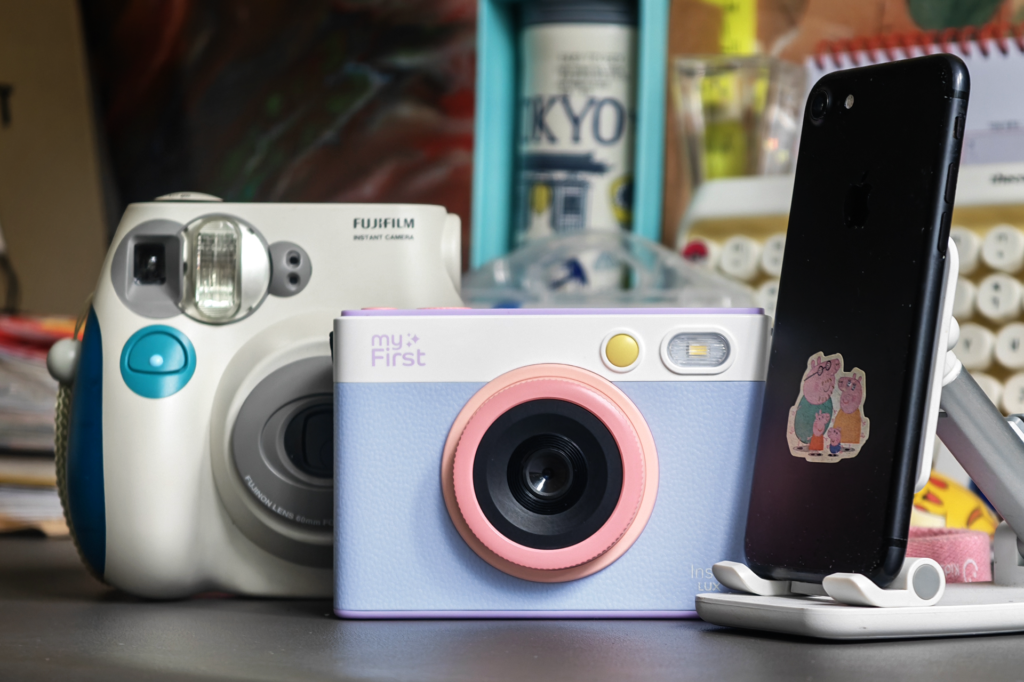
myFirst Insta Lux fills the gaps
First, it combines modern photography experiences with the traditional. It looks and feels like an actual camera (more on that later) and has enough functions to satisfy a child’s creativity without being overwhelming. It’s so easy to use that I barely needed to teach my kids how to operate it.
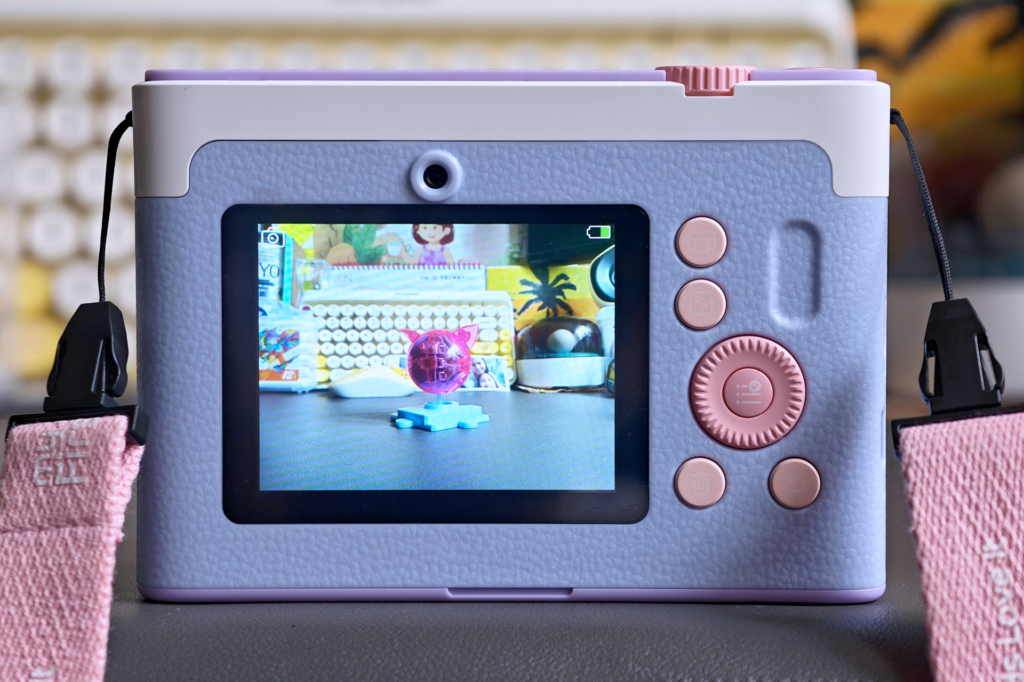
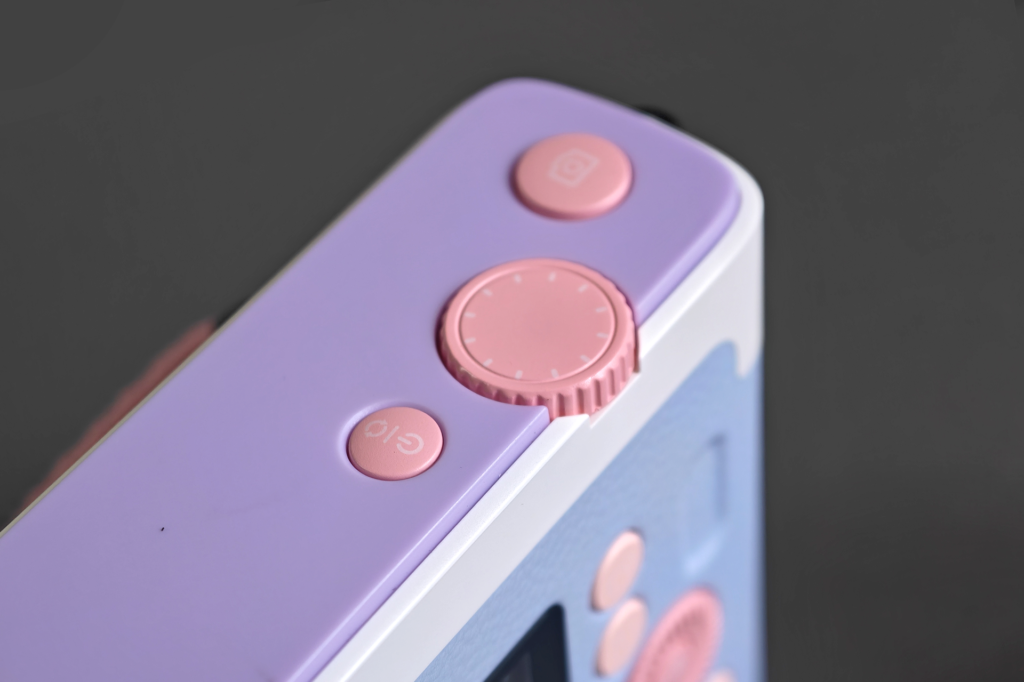
The physical buttons and rotating dials provide enough tactile stimulation to encourage exploration, which naturally led my kids to experiment. The software has built-in filters and frames so the kids can see how the photos will look before they print. There are also settings for exposure compensation and white balance if you dig a bit deeper.
The battery lasts up to 5 hours, which covers an entire afternoon of play and should be more than enough to satisfy the most curious of budding photographers.
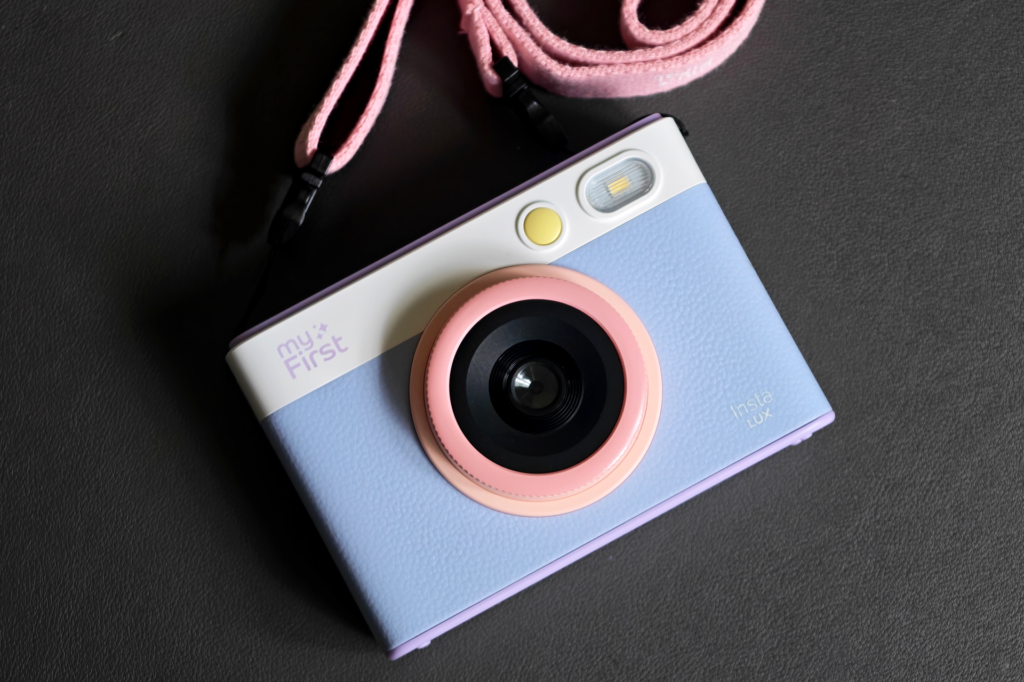
The camera looks good and appeals to both kids and older photographers alike. It adopts a classic retro-style design and updates it with a couple of fresh colour options: Candy Mix (which is what we have) and Grey.
While I prefer Grey because it’s a bit more subdued, I appreciate how the Candy Mix was made appealing to both boys and girls.
Design-wise, it’s comparable to the Fujifilm Instax Mini Evo camera with its retro aesthetic. That model, however, is targeted toward an older audience and is a full S$90 more expensive than the myFirst Insta Lux.
I asked my kids which design they preferred between the two, and they both chose the Insta Lux.
The price comparison, as I mentioned earlier, extends to the film itself. Yes, unlike old-school instant cameras, you can now choose which photos you actually want to print so film doesn’t go to waste. Half the fun is in the printing process, though, so not hearing my wallet cry while printing a blurry photo of my daughter is a very welcome feature.
3 packs of Instax mini films (20 per pack) will set you back S$89.70, which puts one print at approximately S$1.50 each. A pack of Insta Lux Film (20 per pack) is just S$19.90, which puts each print at less than S$1 each. It may not sound like a big difference per printed photo, but that’s around a $10 difference for every 20 prints.
Let’s talk about the prints
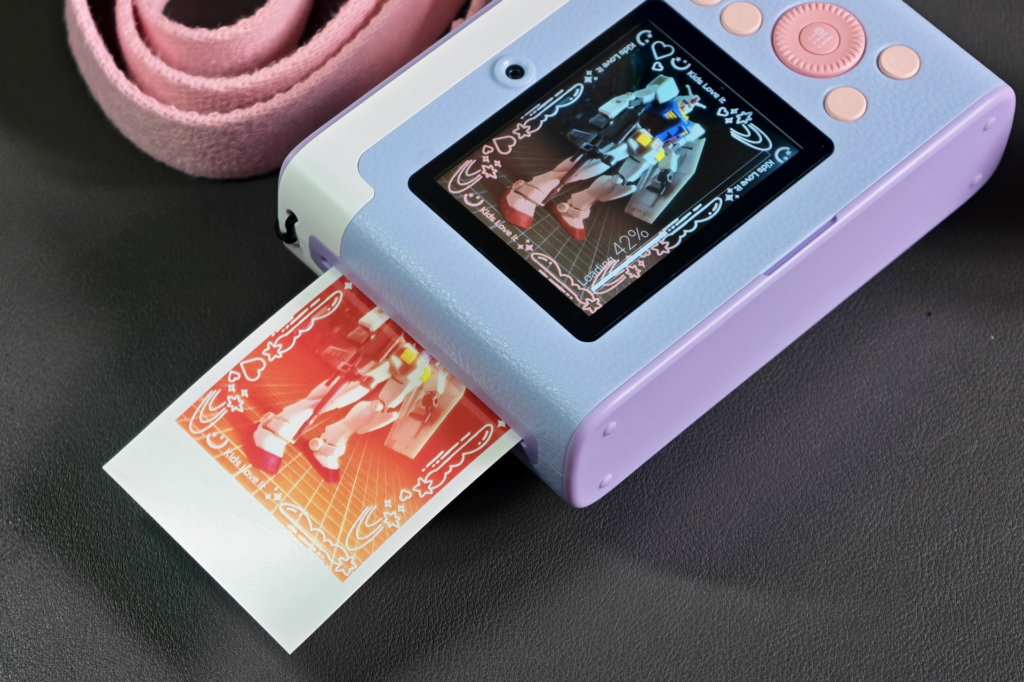
It’s important to note that the myFirst Insta Lux uses dye-sublimation printing, which uses heat to apply colour to the paper. This allows the colours to stay vibrant for years, although I’ve yet to test that longevity.
Printing takes a bit of time because it operates like an offset printer (applying one colour at a time), but the photos we’ve printed so far look sharp and vibrant.
While it’s a bit different from the traditional instant film process, it’s still fascinating to see the paper move in and out of the camera, watching the photo come to life colour by colour.
What’s in the box?
The myFirst Insta Lux comes with everything you need right out of the box: the camera, a charging cable, a (very) quick guide, your first batch of film, a neck lanyard, and a micro SD card. It also comes with stickers so the kids can personalise both the camera and their photos for scrapbooking.
It’s a whole lot of fun right off the bat. However, it does come with some tradeoffs that an adult might view as compromises, but put the camera in the hands of kids, and these limitations become features instead of bugs. Let me explain:
Finding fun in faults
For one, it sports a 5-megapixel camera, which is practically unheard of by today’s smartphone standards. In low-light conditions, motion blur caused by minor movements was quite common.
I would normally find this unacceptable, especially when comparing it to modern camera phones driven by computational photography, but I noticed my kids actually had fun with the blurry photos. I’ve lost count of how many times they’ve chased each other around, only for one of them to run to me laughing hysterically at how blurry their sibling looked mid-motion.
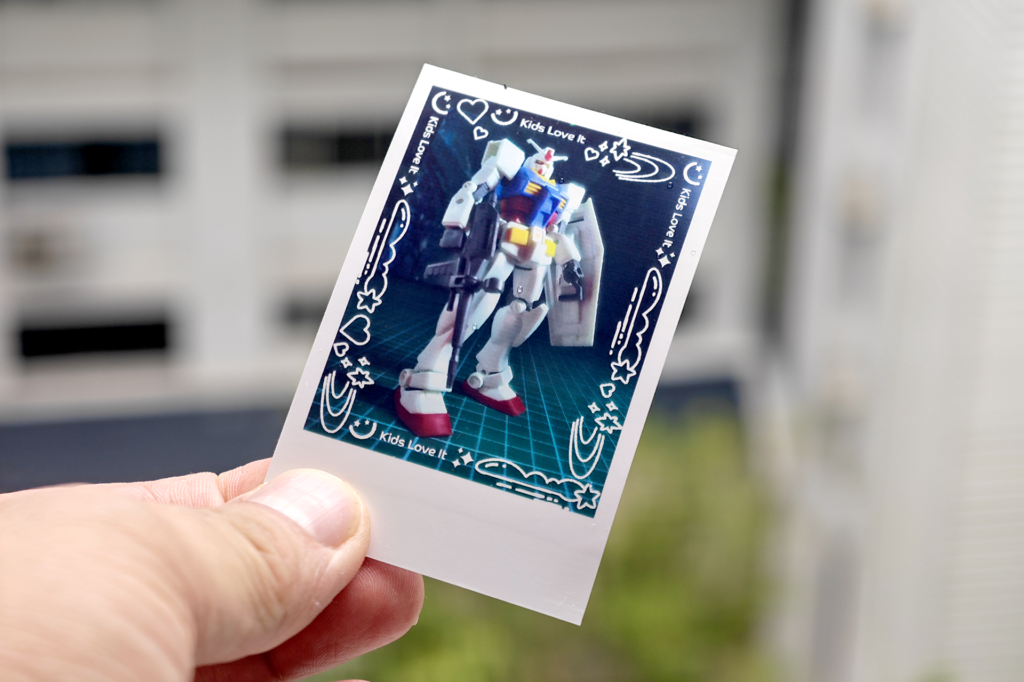
That doesn’t mean the photos are always blurry, though. The ones that turn out sharp are perfectly good for their purpose: being viewed on the 2.8” IPS colour screen and printed on 54 x 72mm paper.
The printing process is slow, but as a parent, I see this as an exercise in patience. This is a great lesson for kids, especially in today’s highly-stimulating, instant-gratification environment. I’ve actually used this waiting time to teach the kids how offset printing works.
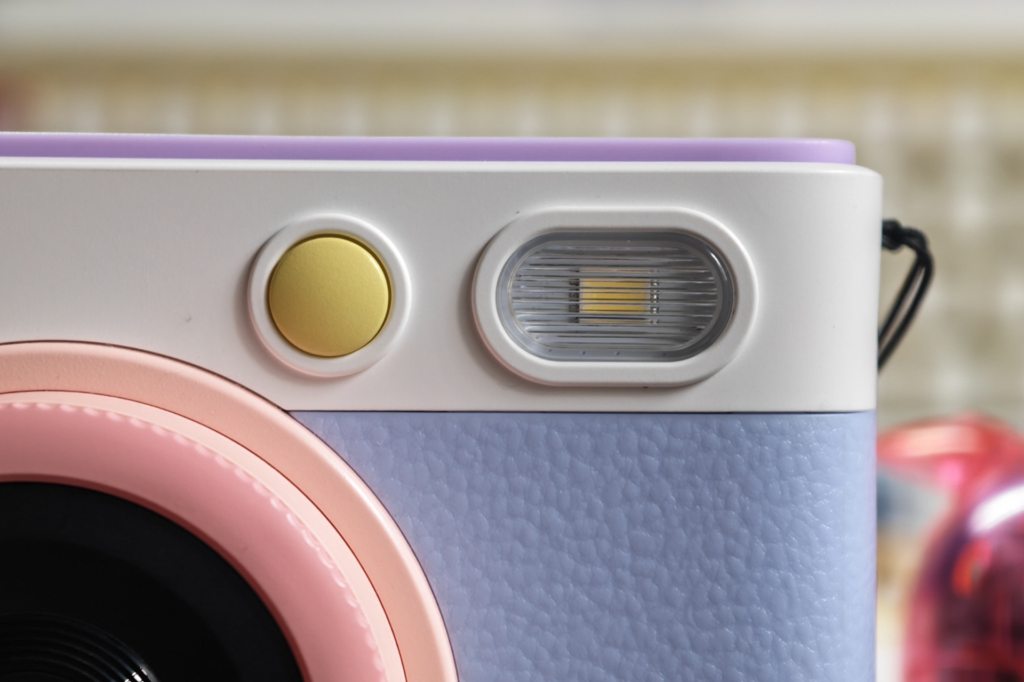
The selfie button placement is also questionable, but it can easily be turned into a problem-solving exercise. Taking a selfie in landscape mode sometimes means I can’t use my right hand to hold the camera because my thumb tends to cover the flash. I told my kids about it, and they treated it like a quest, coming up with creative grip styles to solve the problem.
One thing that could definitely be improved is the buttons on the back, especially the lighter pink ones. I can barely see the icons because they are printed in white and almost entirely blend into the button colour.
While you eventually memorise their functions, having them clearly visible would still be a much better design choice.
Overall
Even though it has a few quirks, the myFirst Insta Lux is a real winner for kids who are interested in photography. It creates beautiful, long-lasting, full-colour prints that look fantastic, all while keeping the ongoing cost of film significantly lower than the competition.
With its cool retro look, generous out-of-the-box accessories, and a simple, child-friendly interface, it gives children a safe, affordable, and incredibly fun way to discover their creative side.
Liked this? Check out more articles on Futr tech here.